Als je telefoon morgen zonder opslagruimte zou komen te zitten, hoeveel foto's en video's zou je dan voorgoed kwijtraken?
Voor de meesten van ons is het antwoord ongemakkelijk.
Jaren van verjaardagsfeestjes, feestdagen, eerste stapjes en familieherinneringen – allemaal opgeslagen op één apparaat dat verloren, gestolen of beschadigd kan raken op elk moment.
De Total Drive app is een veilige cloudopslagoplossing, ontwikkeld door Total Security, het team achter TotalAV en andere vertrouwde privacytools. Het is ontworpen met één duidelijk doel: gewone mensen een eenvoudige, betaalbare manier bieden om hun belangrijkste bestanden veilig en overal toegankelijk te houden.
Total Drive biedt royale opslag tegen concurrerende prijzen en werkt op Android, iOS, Windows en macOS.
Of je nu een levenslange collectie familiefoto's van je telefoon back-upt of belangrijke documenten van je computer opslaat, de app houdt alles beschermd en gesynchroniseerd op al je apparaten.
De kern van Total Drive is geavanceerde beveiligingstechnologie – een ingebouwde safeguard die uw bestanden beschermt tegen onbedoeld verwijderen, gegevenscorruptie, apparaatuitval en zelfs ransomware-aanvallen. Uw bestanden worden niet alleen opgeslagen; ze worden verdedigd.
Hoe Total Drive te downloaden en te installeren
Aan de slag gaan met Total Drive kost slechts een paar minuten, en je hebt er geen technische kennis voor nodig.
Op mobiel
- Open de Total Drive app in Google Play Store (Android) of de App Store (iOS) op je telefoon of tablet.
- Tik Downloaden of Krijg om de app te installeren.
- Open Total Drive, maak een account aan of log in, en volg de korte installatie-instructies.
- Verleen de app toestemming om toegang te krijgen tot uw foto's en video's, zodat automatische back-up direct kan beginnen.
Total Drive voor mobiel ondersteunt Android 5.0 en hoger en iOS 12.0 en hoger, dus het werkt op de overgrote meerderheid van de telefoons en tablets die tegenwoordig in gebruik zijn.
Op de desktop
- Bezoek de officiële Total Drive-website downloader website.
- Download het installatieprogramma voor uw besturingssysteem.
- Start het installatieprogramma en volg de instructies op het scherm.
- Log in met je Total Drive-account, waarna er een beveiligde cloudopslagmap op je computer verschijnt – klaar voor gebruik.
Total Drive voor desktop werkt aan Windows 7 en hoger en macOS 10.9 en hoger.
Total Drive voor mobiel: Belangrijkste functies
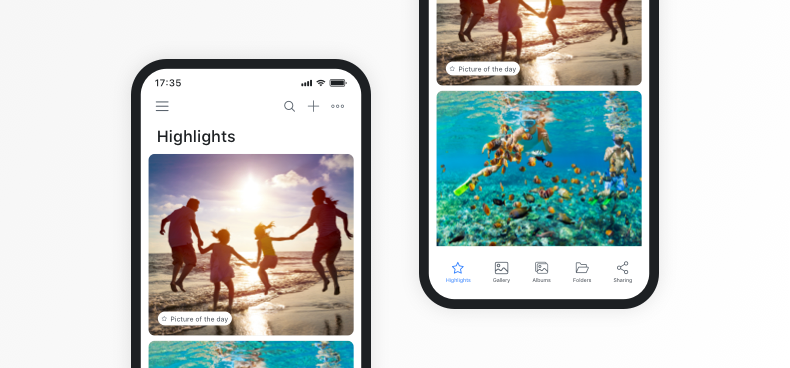
Automatische cloudback-up
Zodra je een foto maakt of een video opneemt, kan Total Drive automatisch een back-up maken in de cloud. Je hoeft er niet aan te denken – het werkt gewoon onopvallend op de achtergrond. Dit betekent dat zelfs als je je telefoon kwijtraakt, in het water laat vallen of per ongeluk iets verwijdert, je herinneringen veilig zijn en in de cloud op je wachten.
Automatisch ruimte vrijmaken
Weinig opslagruimte meer? De functie 'Automatisch ruimte vrijmaken' van Total Drive verwijdert geback-upte inhoud van uw apparaat en behoudt volledige toegang tot alles via de app. U krijgt de opslagruimte terug op uw telefoon zonder ook maar één bestand te verliezen. Het is alsof u een veel grotere telefoon heeft zonder een nieuwe te hoeven kopen.
Slimme inhoudsorganisatie
Total Drive sorteert je foto’s automatisch in galerijen en albums en orden je muziek in afspeellijsten. In plaats van door duizenden ongesorteerde bestanden te moeten bladeren, kun je snel en gemakkelijk vinden wat je zoekt.
Geavanceerd zoeken
Op zoek naar een specifieke foto van afgelopen zomer? Met de zoekfunctie van Total Drive kun je bestanden vinden op trefwoord, locatie, thema of zelfs op de mensen die op je foto’s staan. Het werkt snel en is verrassend nauwkeurig.
Offline toegang
Ga je ergens heen waar je geen betrouwbare internetverbinding hebt? Je kunt elk bestand uit je cloudopslag naar je apparaat downloaden om het offline te bekijken. Je bestanden zijn altijd beschikbaar wanneer je ze nodig hebt, of je nu verbinding hebt of niet.
Media Streaming
On Android, Total Drive supports Chromecast, so you can cast your photos and videos directly to your TV. It’s a great way to share holiday snaps or home videos with the whole room.
Total Drive for Desktop: Key Features
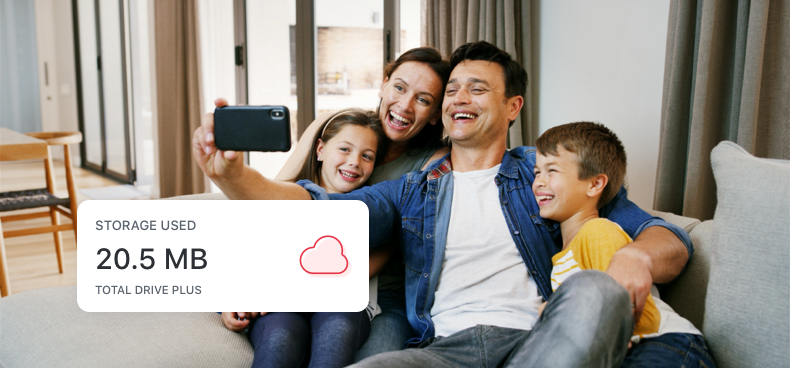
On your computer, Total Drive works like a standard folder – but everything inside it is securely backed up to the cloud. If you’ve ever dragged a file into a folder on your desktop, you already know how to use Total Drive.
Secure Cloud Folder
Once installed, Total Drive creates a dedicated folder on your computer. Anything you place inside it is automatically uploaded and backed up. It’s the easiest way to protect documents, music, spreadsheets, and any other files you can’t afford to lose.
Seamless Sync Across Devices
Files stored in Total Drive stay updated across your desktop, laptop, and mobile devices. Edit a document on your computer in the morning, and the latest version is ready on your phone by the afternoon. No cables, no manual transfers, no fuss.
Organised Storage and Advanced Search
Total Drive automatically sorts your files into logical folders and categories. When you need to find something specific, the built-in search lets you locate files instantly using keywords, dates, or file categories.
Instant File Sharing
Need to send a large file to someone? Total Drive lets you share files through secure links, email, or any platform you prefer. There’s no need to compress files or worry about attachment size limits. Your recipient gets a link, clicks it, and downloads the file – simple as that.
Keeping Your Files Safe: Security and Ransomware Protection
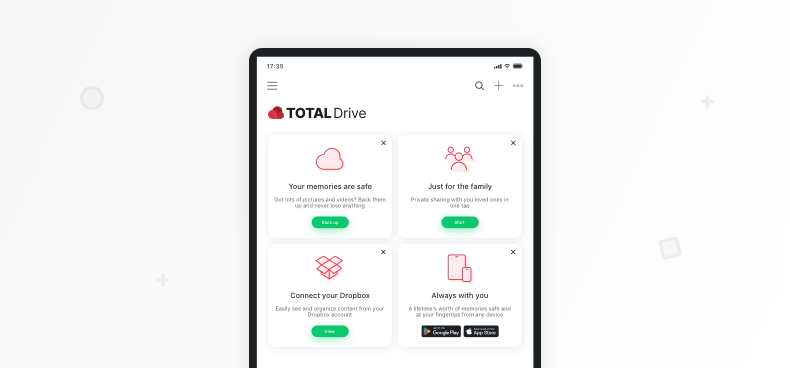
When it comes to storing personal files online, security isn’t optional – it’s everything. Total Drive was built with this in mind from the ground up.
Total Drive uses private encryption to protect your files. This means your data is secured both while it’s being transferred and while it’s stored in the cloud. Only you have access to your files – nobody else, not even Total Drive’s own team, can see your content.
Because your files are securely backed up in the cloud with built-in defences against ransomware, you won’t lose access to your data even if your device is compromised. You can simply restore your files from Total Drive and move on, without paying a penny to cybercriminals.
Seamless Sync and Access Across All Your Devices
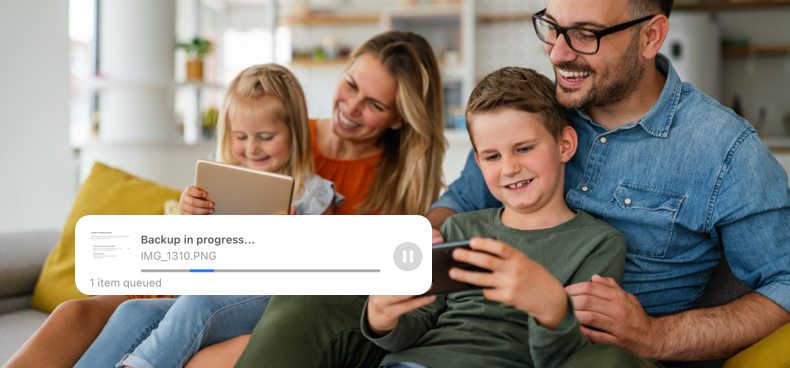
One of the biggest frustrations with digital files is that they always seem to be on the wrong device. The document you need is on your home computer. The photo you want to show someone is on your old phone. Total Drive solves this problem completely.
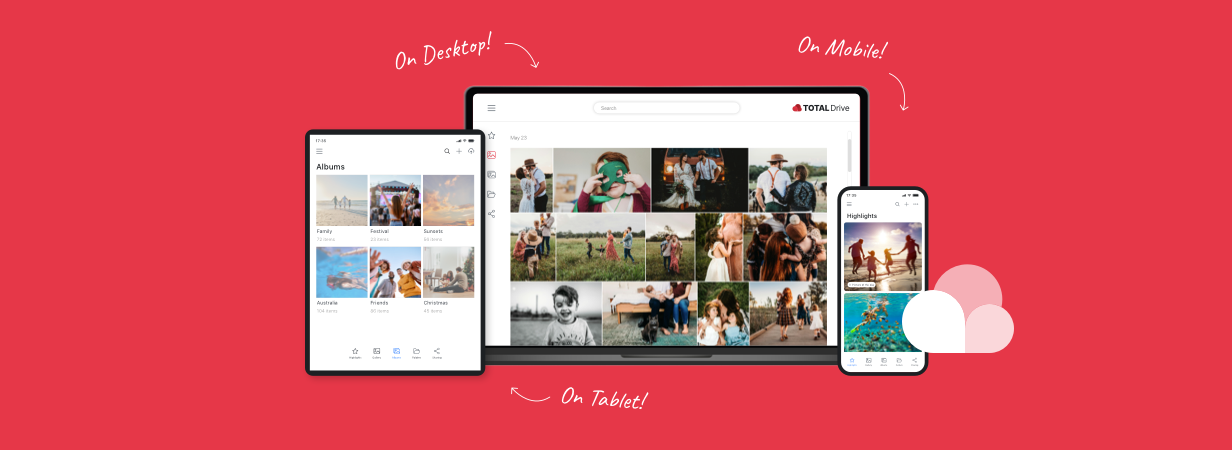
Total Drive syncs your files across every device where the app is installed. Upload a file from your phone, and it’s waiting on your desktop. Save a document on your laptop, and it appears on your tablet. Your entire digital library moves with you automatically.
You don’t always have an internet connection, and Total Drive accounts for that. Download any files you might need ahead of time, and they’re available offline whenever you need them. Once you’re back online, any changes sync up automatically.
Get Started with Total Drive Today
Your photos, videos, and documents are among the most personal and irreplaceable things you own. A lost phone, a broken laptop, or a ransomware attack could take them away in an instant.
Total Drive gives you a straightforward way to keep all of it safe. With generous storage, automatic backup, cross-device syncing, strong encryption, and family sharing – all in one easy-to-use app – it covers everything most people need from a cloud storage service (as you can see in our reviews).
Here’s what you get with Totale aandrijving:
- Generous cloud storage at a price that makes sense
- Automatic backup for photos, videos, and documents
- Sync across all devices – phone, tablet, laptop, and desktop
- Ransomware protection and end-to-end encryption
- Family Sharing in a private, controlled space
- A 30-day money-back guarantee so you can try it with confidence
Getting started takes just a few minutes. Download Total Drive on your phone from the App Store or Google Play Store, or install it on your computer from the official website.
Your files will start backing up right away, and you’ll have the peace of mind that comes with knowing your most important memories and documents are always protected.
Don’t wait until something goes wrong. The best time to back up your files is before you need to.
Frequently Asked Questions About Total Drive
What devices and platforms does Total Drive support?
Total Drive works on Android (5.0 and above), iOS (12.0 and above), Windows (7 and above), and macOS (10.9 and above). It also supports web browser access through Chrome, Edge, Opera, and Safari. Your files sync automatically across every device where the app is installed.
How does Total Drive protect my files from ransomware?
Ransomware works by encrypting your files on your device and demanding payment for the decryption key. Because Total Drive stores your files securely in the cloud with built-in defences, your backed-up data remains safe even if your device is infected. You can restore your files from Total Drive without paying any ransom.
Can I share files and folders with my family securely?
Yes. Total Drive includes a Family Sharing feature that lets you create private groups with your family members. You can share photos, videos, and albums within these groups, and only approved members can see the content. Your personal files stay completely private and separate from anything you choose to share.
How do I free up space on my phone using Total Drive?
Once your photos and videos are backed up to Total Drive, you can use the Auto Free Up Space feature to remove the local copies from your phone. The files remain fully accessible through the Total Drive app – they’re just stored in the cloud instead of taking up space on your device. If you ever need a file back on your phone, you can download it again with a single tap.